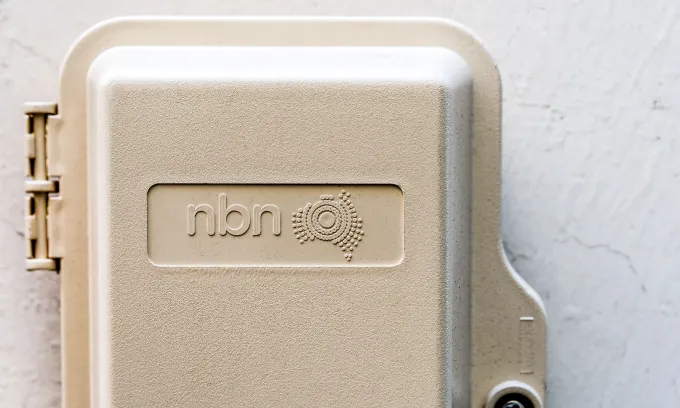







































The National Broadband Network (NBN) is Australia’s nation-wide broadband infrastructure, which connects Aussie homes and businesses to the internet, using a range of technologies.
While the NBN is owned by the Federal Government, you’ll need to sign up to an NBN plan from an NBN provider to deliver service to your home or business, which includes some of the big name internet service providers (ISPs), such as Telstra, TPG and Optus, along with smaller providers like Dodo, Aussie Broadband and Superloop.
What are the best NBN plans?
Finding the best NBN plans will ultimately be determined by what you need from an NBN plan. This may simply come down to finding the best value NBN plans that meet your speed and budget needs. Others might prefer to look at providers with a good reputation for customer service, or that offer additional extras like a free modem or the option to bundle plans with other services like entertainment or energy. Keep in mind that the best NBN plan for one household will look different to the best plan for another household.
What are the best-value NBN plans?
Whether you value an NBN plan from a provider with a reputation for a good customer experience or plans offering good balance of value for money, Canstar’s awards for Most Satisfied Customers and Outstanding Value can help you find providers that might tick the right boxes. Our 2025 NBN provider award winners are:
- Outstanding Value NBN Plans award winner 2025: Moose Mobile
- Outstanding Value High-Speed NBN Plans award winner 2025: Southern Phone
- Most Satisfied Customers NBN Providers award winner 2025: Southern Phone
How to choose an NBN plan
With over 100 NBN providers out there, finding NBN plans that best suit your household’s needs can seem like a daunting task. However, having a clear idea of what you’re looking for in an internet plan can give you an idea of how NBN plans compare.
Speed
NBN plans are offered with different speed tiers, with some speeds slower than others. How you use the internet, along with your household size, will determine what speed your household will need.
Internet speeds are measured in megabits per second (Mbps). The faster the NBN speed tier, the more expensive your plan, so finding the right balance for both your needs and budget is important.
Available speeds are:
- NBN 12 – 12/1: 12Mbps download, 1Mbps upload. Also known as Home Basic I.
- NBN 25 – 25/5 or 25/10: 25Mbps download, 5Mbps or 10Mbps upload. Also known as Home Basic II.
- NBN 50 – 50/20: 50Mbps download, 20Mbps upload. Also known as Home Standard.
- NBN 100 – 100/20 or 100/40: 100Mbps download, 20Mbps or 40Mbps upload. Also known as Home Fast I (FTTN/FTTB/FTTC connections only).
- NBN 500 – 500/50: 500 Mbps download, 50 Mbps upload. Also known as Home Fast II (FTTP/HFC connections only).
- NBN 750 – 750/50: 750Mbps download, 50Mbps upload. Also known as Home Superfast (FTTP/HFC connections only).
- NBN 1000 – 1000/100: 1000Mbps download, 100Mbps upload. Also known as Home Ultrafast (FTTP/HFC connections only).
- NBN 2000 – 2000/200 (FTTP) or 2000/100 (HFC): 2000Mbps download, 100Mbps or 200Mbps upload. Also known as Home Hyperfast (FTTP/HFC connections only).
NBN connection type
Your home’s NBN connection will also impact what speeds are available to you, so it’s important to know your home’s NBN connection type. Otherwise you can use an NBN address checker to determine what plans and speeds will be available to you.
The NBN network is made up of seven technology types, which together deliver connections across metro and regional Australia.
- Fibre to the Premises (FTTP): Connects your home directly to the nearest NBN node via fibre optic cable, and is the fastest NBN connection type available.
- Fibre to the Building (FTTB): Mostly used in apartment blocks, by connecting each apartment or unit via copper wiring to a central node in a building’s basement.
- Fibre to the Node (FTTN): Uses your home’s existing copper wiring to connect to an NBN node in your area.
- Fibre to the Curb (FTTC): Similar to FTTN, but runs fibre optic cable to a distribution point outside your home, which is connected to your house via copper wiring.
- Hybrid Fibre Coaxial (HFC): Uses existing pay TV and cable connections, instead of copper wiring, to connect your home to an NBN node.
- Satellite: Beams an NBN network signal from the Sky Muster satellite to a dish installed on your home. Mostly used in regional areas.
- Fixed wireless: Connects to the NBN via an antenna installed on your property that receives and sends radio signals from a transmission tower.
Most homes in cities and towns will be connected by one of the four fibre technologies or HFC, while addresses in rural areas may rely on satellite or fixed wireless.
Budget
While your chosen speed tier will have an impact on how much you pay for your plan — with slower speeds being cheaper than the faster speeds — NBN plan prices can differ greatly between providers. There can be anywhere from around a $10 or more monthly price difference between the cheaper and more expensive plans on the same speed tier — a good reason to shop around and compare plans!
Any extras?
If you want any extras added on to your plan, such as a modem or home phone package, this will typically cost you extra on top of your plan fees. What you pay for these extras, and when, depends on your provider.
For example, some providers may require you to pay an additional cost upfront for a modem. For home phone add-ons, some providers may give you the option to pay for your calls on a pay-as-you-go basis, otherwise you may be able to add on a call pack for an additional monthly cost.
What are the cheapest NBN plans?
The cheapest NBN plans will be on the slowest NBN speed tiers — Home Basic I (NBN 12) and Home Basic II (NBN 25). Plans on these speed tiers are typically designed to suit smaller households with lighter internet needs such as checking emails, web browsing and basic video streaming.
If you have a larger household with higher internet usage needs, these plans won’t be suitable. That’s why you should take into consideration the speed tier your household needs when looking for cheap NBN plans. In some cases, you might find that compromising on speed can also help you lower your costs.
For example, households with a FTTP or HFC connection type might find an NBN 500 plan fast enough, rather than signing up to an NBN 750, NBN 1000 or NBN 2000 plan. Households with a FTTB, FTTC or FTTN connection might find an NBN 50 plan is fast enough, rather than an NBN 100 plan. You might also need to compromise on how you use your internet — such as reducing the quality of video streams — and accept that some things, like downloading large files, will take a bit longer.
Comparing providers can help you find cheap NBN plans
The price of NBN plans can vary greatly between providers, with a $10 or more per month difference between the cheaper and more expensive plans. Once you have a clear idea of what speed tier your household needs, comparing plans from a range of providers can help you find a cheap NBN plan on that speed tier.
What are the best satellite NBN plans?
Satellite NBN is a type of NBN connection that uses satellites to transmit data, as opposed to cables or wires. This connection type is typically used for customers in regional and remote communities that would otherwise be unable to access the internet. Due to the nature of the satellite signal, the speed of downloads and uploads are generally slower than what you would expect from a wired connection, as there is further distance to travel.
Sky Muster is the name of the two satellites operated by NBN Co that facilitate internet connections for customers in regional and remote areas. However NBN Co has partnered with Amazon Leo (formerly known as Project Kuiper), Amazon’s own Low Earth Orbit (LEO) satellite service, which will be replacing Sky Muster and rolling out in 2026.
Satellite NBN plans aren’t as widely available as fibre NBN plans, so you’ll have a smaller choice of providers and plans to compare. However, finding the best satellite NBN plan will come down to which plan offers you the best balance between your budget and meeting your household’s internet speed needs. As satellite plans can be a little more complex with speed limitations, it’s important to look at the plan’s details and terms to ensure you know what you’re signing up for.
Providers offering satellite NBN plans include:
- Activ8me
- Ipstar
- SkyMesh
- Southern Phone
Should I choose a BYO modem NBN plan?
If you already have an NBN-compatible modem and decide to switch NBN plans – and if you have had no problems with the modem’s actual performance previously – you’ll most likely want to opt for a BYO modem plan.
Another reason you might prefer to sign up to a BYO modem plan is if you’re not happy with the modems on offer from the various internet providers and you would prefer to buy a modem outright from a retailer.
For customers new to the NBN that require an NBN-compatible modem for NBN setup, or if your existing modem is now rather old and you’re switching providers, you might prefer to sign up to an NBN plan that has a modem included or with the option to add one. Keep in mind that faster speed tiers may need a newer modem, as older modems might not be compatible.
Internet providers will usually offer modems which are pre-configured to work with the NBN, so you won’t need to worry about the modem’s compatibility. If you’re still unsure as to whether you need a new modem, you can always talk to your internet provider for more information.
How to check for NBN outages
Your home internet can drop out for any number of reasons. Just because you don’t have internet access, doesn’t mean you’re dealing with an NBN outage. There are a few steps you can take to check if it’s a problem with your internet, or a wider NBN outage.
- Check if other devices connected to your home’s WiFi are also not connecting to the internet.
- If it’s an issue with your home internet and not a specific device, the next step is to check your modem/router to see whether the modem’s lights are flashing as normal, or if it’s been accidently knocked out of its connection to the wall.
- Try turning your modem off and on again, waiting for around 30 seconds to a minute, then turning it back on. You might also need to unplug your modem/router from the power point.
If you still don’t have internet service after checking and restarting your modem or router, you’ll then need to determine if there is an NBN outage only at your address, or a more widespread issue.
You can check for planned or unplanned NBN outages on your provider’s website or via the NBN Co website using your address. However, you’ll need to use mobile data on your phone or hotspot from your phone to your computer or tablet to check these websites. If you’re unable to use mobile data or another internet connection, you might need to call your provider to check the status of your internet connection.
Some internet providers such as Aussie Broadband and Telstra also offer diagnostics tools in their apps for when you want to test your internet connection. Make sure you check out if your provider offers these services, because these can alert you to potential outages, as well as allowing you to communicate directly with technical support, check the current status of your connection, or just get general help with your technology.
If your internet is down and it doesn’t appear to be due to a wider NBN outage, you’ll need to get in touch with your internet provider for assistance.
How long do NBN outages last?
Whether you’re dealing with NBN outages in Sydney, NBN outages in Brisbane, NBN outages in Melbourne or anywhere else in the country, it’s a pain to be without internet access, no matter how long the outage lasts.
However, it’s impossible to put a time on how long NBN outages last because no two will be the same. Whether it’s planned maintenance or a fault at your home, the length of time that the outage lasts, especially if there are repairs to be done, will vary between homes — it could last for under an hour, or more than 24 hours.
If you’re concerned about the length of an outage, or you still don’t have internet access once the outage has ended or been resolved, you should get in touch with your internet provider.
NBN modem: What you need to know
In order to access the internet at your home, you’ll need a modem or router, which allows for devices to connect to the internet via a WiFi network or ethernet cable. Many NBN providers offer modems with NBN plans, or you can purchase one from a retailer.
Modem vs router: What is the difference?
The terms ‘modem’ and ‘router’ are often used interchangeably, but the two devices aren’t the same. A modem connects a home to the internet, while a router allows devices within a home to access that connection, via a cable or, more commonly, via WiFi. However, most homes now use hybrid modem-routers, where you simply need to plug and play with one device rather than two.
Note that modems and routers are separate from NBN boxes, which are used for FTTP, FTTC and HFC connection types.
What modem do I need for NBN?
How fast and reliable your internet speed is can be dependent on your modem. If you live in a larger household with high-internet needs, you may need a modem with more features and capabilities than a basic device, such as dual-band technology or a larger WiFi range. Many of the fast-speed NBN plans require a newer modem in order to reach the faster speeds. These newer generation modems will have a higher generation number, such as WiFi 6 (802.11ax) or WiFi 7 (802.11be).
If you want a fast-speed NBN plan — and your home has the technology type to support it — NBN Co advises that WiFi 5 router/modems, or router/modems received before 2019, might not be capable of reaching very fast speeds. If you’ve had your modem for a while and want a faster NBN plan, it might be time to upgrade to a newer device.
If you’re getting the free NBN fibre upgrade, your NBN provider may give you a new modem as part of this upgrade process if you have outdated technology.
Can I use my own modem with a new NBN plan?
Generally, if you have an unlocked modem that is compatible with your new plan, you should be able to use it if you’re switching NBN plans at the same address. If you’re switching plans at a different address which has a different NBN connection type, you may need to check if your modem/router is compatible with that connection.
Before signing up to a new NBN plan, it’s a good idea to check with your new provider to see if your current modem is compatible.
Do I have an NBN compatible modem-router?
Most newer modems are already NBN-ready, especially if it’s a device that’s provided by an internet service provider, but this isn’t always a guarantee.
For homes with FTTN or FTTB connection types which are unable to reach the faster NBN speeds, you’ll need a VDSL2 modem.
Other connection types, such as FTTP, FTTC, and HFC, use a specially-installed NBN connection box, known as a Network Termination Device, that you’ll need to pair with a modem/router or gateway with an Ethernet WAN port.
How do I configure an NBN modem for WiFi?
Every modem or router is different, whether you’ve purchased it from an internet provider or retailer. If you’re bought a new modem — or signed up for a new internet plan — then you’ll likely have received instructions in the box, or a setup guide from your provider. Modems purchased from an internet provider may already be configured and you’ll simply just plug in and go.
However, if you need to configure an NBN modem yourself, here are some general steps you’ll need to take.
- Sign up for a NBN plan and make sure it’s been activated by your provider.
- Plug in all of the cables for your modem, including ensuring it’s connected to a power point and any essential equipment where necessary, such as the NBN connection box. Switch it on, and wait five to ten minutes for it to fully start up and all device lights to go green.
- Once you know that your NBN plan is active, connect to your modem’s network via either Ethernet cable or WiFi. You can do this using any internet-ready device over WiFi, but a laptop or tablet may be easiest.
- Find the gateway IP address, located on the back of your modem. It will be a sequence of numbers that looks something like this: 00.13.11.189. This address needs to be entered into the URL bar of your internet browser on the device you’ve connected to your modem’s network. You won’t be able to browse the internet normally, but the gateway IP address will load anyway.
- Once it’s loaded, enter your modem’s username and password in the appropriate fields to log into your modem’s network. Again, this information should be available on the back of your modem, or on a card in the modem box.
- After you’ve logged in, a homepage may appear with a range of different options. You may also be presented with a ‘setup wizard’ that will guide you through the process. You will most likely be prompted to enter a username and password.
- If you have an existing modem that’s still configured to your old network, you’ll want to replace these details with your new internet name and password (which will be provided by your new ISP). This will be a different username and password to what’s listed on the back of your modem.
- Enter any other required information to complete the setup process. When the internet status in the gateway reads as ‘Connected’, your modem setup is complete!
- If you’ve followed the steps listed here (or those supplied by your internet provider) but you’re still not connected, reach out to your internet provider for assistance.
What about modems with 4G backup?
Some modems include 4G backup, which allows your modem to connect to the internet via a mobile network (the same way a mobile broadband or 4G/5G home wireless modem connects to the internet). This means that if your NBN isn’t connected or there’s an NBN outage, you’ll still be connected to the internet, but using a mobile data connection.
These modems are typically only offered by a small number of providers, such as Telstra and Optus, and that back-up service will be included with your NBN plan fees. You will typically need to purchase the 4G backup modem from the NBN provider directly.
How to switch NBN plans
If you're switching internet providers but planning to stay on the NBN, changing plans is relatively easy. You'll need to review your current plan to make sure there's no exit fees or contracts that might prevent you from cancelling — once you know you're free to switch, compare NBN plans with Canstar and find the right deal for you. But don't cancel your old plan yet!
You can sign up to your new plan online or over the phone. If you're changing speeds, or you've recently upgraded to FTTP, you may need a new modem that's compatible with your new plan — your provider can advise you during sign up.
Complete the sign-up process, then wait for your new plan to officially be active — this generally takes only a few hours, but can be as long as several business days. Once your new plan is live, you can cancel your old NBN service with your previous provider.