






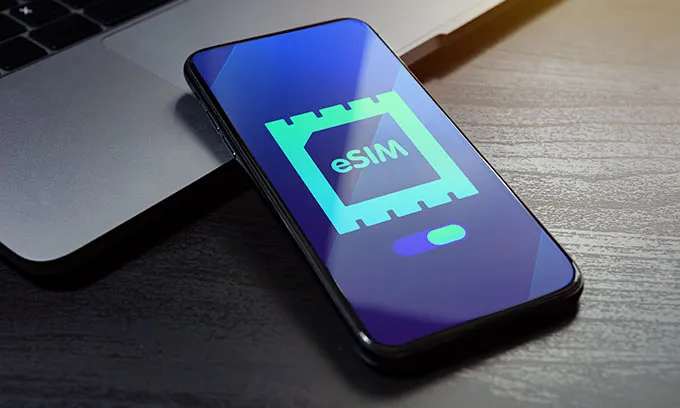
What is an eSIM and how do eSIMs work?
An embedded SIM (eSIM) removes the need for a physical SIM to be inserted into your phone. An eSIM is a chip that is built into a phone that allows you to change providers without having to swap physical SIM cards. Instead, software allows you to change providers instantly online.
eSIM technology also allows for multiple SIMs to be stored on a compatible phone. This allows you to use more than one number, making it easy to switch between providers (for example, when travelling overseas).
How to get an eSIM in Australia
While eSIMs are built into the phone, they still require activation. To get your eSIM Australia up and running, you’ll need to buy an eSIM-compatible mobile plan and follow the onscreen prompts. Keep in mind that you may need to download a mobile provider’s app to activate your eSIM, which will require an internet connection.
What is the difference between an eSIM and regular SIM cards?
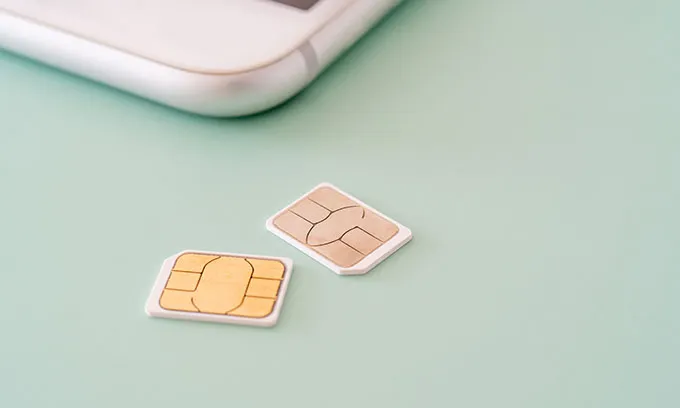
The main difference between an eSIM and a regular SIM card is that eSIMs are digital, while you can physically hold a SIM card in your hand. An eSIM and traditional SIM card still work in the same way, allowing your phone to make and receive calls, access data and use your mobile provider’s network. However, eSIMs tie your smartphone to the plan you’ve signed up to via a chip in your phone’s motherboard.
The only other main difference is that eSIMs require more tech to run on a smartphone, which is why some smartphones aren't eSIM compatible.
Can I have an eSIM as well as a physical SIM card?
If you have a device that supports hybrid dual SIM capability, then yes you could have both an eSIM and a physical SIM card in your phone at the same time. This means you can also have two phone numbers or mobile services running at once.
Are eSIMs cheaper than SIM cards?
It really depends on what plan you sign up to and the provider. If you’re looking at prepaid phone plans, eSIM will be cheaper than a physical SIM card. Some providers offering prepaid plans will require you to buy your physical SIM card, usually for $2. This can either be a) bought separately as a SIM pack, allowing you to choose your plan or recharge after activation, or b) bundled with a prepaid phone plan. If you opt for a prepaid plan with eSIM, you won’t need to buy that $2 SIM pack.
In the case of postpaid plans, you usually won’t need to pay any additional cost for your physical SIM or eSIM.
How much does an eSIM cost?
While you won’t actually pay for the eSIM itself, the cost is tied up in your mobile phone plan. Compare eSIM-compatible phone plans in the same way you’d compare any phone plan — look at the plan’s cost, data allowance and more, to find the plan that best suits your needs and budget.
What are some of the reasons to use eSIMs?
While eSIM is a quicker way to connect to a new phone plan, there are several other benefits to choosing an eSIM over a physical SIM.
- Convenience: There’s no need to wait for a physical SIM card to arrive in the mail or to pick one up from a store. Switching phone plans or setting up a new service can be done quickly and easily from the comfort of your home.
- Travelling overseas: You can find an eSIM travel plan either before you leave or while overseas. This allows you to keep your Australian plan active, so there’s no need to remove your SIM card while travelling. Keep in mind that you may need internet service to activate your eSIM, so it might be easier to organise before you head overseas.
- Link your smartwatch: You can accept calls on your watch when you’re out and about, even without your phone with you (however the watch will need to be eSIM compatible).
- Keep work separate: The dual SIM feature means you can keep two numbers on the same phone and potentially turn off one number outside business hours, or choose to ignore that call.
- Environmental impacts: Opting for eSIM can help to reduce your eWaste and also means you’re not purchasing a piece of plastic. As eSIM becomes more popular, it will also reduce the need for manufacturing physical SIM cards.
- Security: While eSIMs are not completely immune from hacking or other safety breaches, if someone steals your phone, disabling or removing the eSIM is much harder than simply removing a physical SIM card. Other safety concerns like SIM swapping scams will also be much harder.
- Backup service: You can set up a backup service, even temporarily. For example, if you’re travelling to where your usual mobile network isn’t available, if you’re experiencing a prolonged network outage, or you’d like some extra data on your device in the form of an eSIM-compatible data-only SIM plan.
Why are eSIMs growing in popularity in Australia?
As more telcos roll out eSIM as an option to customers — and with more phones now eSIM compatible — more Aussies are expected to adopt the use of eSIM. A report released in 2025 from research organisation Deloitte predicted that 20% to 30% of Australians would be using eSIM in 2025.
Do you get a new number with an eSIM?
This really depends on what you want. If you’re staying with the same provider and simply switching from a physical SIM card to an eSIM, you’ll be able to keep your existing number. However if you’re switching providers, you’ll have the choice between getting a new number or keeping your existing phone number. If you want to keep your existing mobile number, follow the prompts on sign up to start the phone number porting process.
How to activate an eSIM
This will vary from provider to provider — and devices — but you can generally activate your SIM via a QR code or online app registration. Each provider is different, so the below steps are a general guide on setting up your eSIM.
Through an app:
- Download your provider’s app — you’ll need an internet connection for this.
- Create or log in to your account.
- Navigate to the section on eSIM or SIM management which may be under an account services section.
- Follow the prompts to download your eSIM and it should install and activate!
With a QR code:
- On signing up to your new phone plan, a QR code to access your eSIM may appear during the setup process or may be emailed to you.
- On desktop, tablet or other phone: Sign up to your new plan on a desktop, tablet or other smartphone - not the device you want to set up your eSIM on. During sign up, a QR code should appear on screen. Scan this with the device you want to install your eSIM on.
- Using your eSIM-ready phone: During the sign up process when the QR code appears, you may be able to screenshot this code, open your phone’s photo app and the QR code may be clickable from here (compatible devices only). Otherwise, you may need to download a QR code reader app to access this function.
- Alternatively, some providers may send your eSIM QR code to your home address if requested.
The best way to find out information regarding your specific provider is to check their website or contact them and ask.
Is it really possible to set up an eSIM in three minutes?
Generally, yes! If you’re able to easily scan the QR code or set up in your provider’s app, your eSIM should activate almost immediately. However, this may be different between providers and devices, but it may take up to five minutes.
If you’re porting a phone number across to an eSIM from another provider, the transferring of your number will take longer than setting up the eSIM.
How many eSIMs can you have attached to the one phone?
It depends on the device, but for newer iPhones, you can store up to eight eSIMs on your phone. However, you won’t be able to have all of these services active at once.
For Android devices, this can really differ between the device and manufacturer. Select newer Samsung Galaxy and Google Pixels devices may be able to store anywhere from five to 10 eSIMs.
Can you use multiple eSIMs at once?
While many phones are capable of storing multiple eSIMs, you won’t be able to use all of these eSIMs at the same time. Most devices in Australia support dual-SIM only, which is often with one physical SIM and one eSIM active at the same time. However some newer devices may be able to support two active eSIMs at the same time.
Can you convert an eSIM back to a physical SIM?
Yes! Many providers will allow you to switch from an eSIM and a physical SIM card. If you’re sticking with the same provider, it’s best to check before starting this process. You’ll also need to order a physical SIM card, which may be as simple as ordering a replacement SIM through your provider’s app or contacting customer support. Once you receive your physical SIM, you’ll need to go through the SIM swapping process, usually via your account on your provider’s app or online portal.
If you’re switching providers in the process, switching from eSIM to a physical SIM is a lot simpler. Buy your new SIM physical card and go through the setup and activation process laid out by your new provider (including porting your existing mobile number if you request it). You may need to deactivate or remove your old eSIM from your phone, but you can confirm any additional steps with your new provider.
Do I need to change my plan if I switch to an eSIM?
If your current plan is with a provider that doesn’t offer eSIM, you’ll need to switch to a plan from a provider that has eSIM Australia compatibility. Otherwise, if your current provider offers eSIM, it’s easy to switch from a physical card to an eSIM without changing your current phone plan.
eSIM Australia pros and cons
Pros of eSIMs
- Can have multiple SIMs and numbers on the one device.
- It’s quicker and easier to switch providers as you don’t have to wait for your SIM card to arrive.
- Easier to set up for travelling overseas and can be done in advance.
Cons of eSIMs
- Requires more setup when switching phones.
- Not all telcos offer eSIM compatibility (although this is changing).
- eSIM compatible phones are typically the more expensive devices.
Should I switch to an eSIM?
"eSIMs offer serious convenience for Australians wanting to avoid the hassle of a physical SIM card, especially if you're juggling multiple numbers or want to connect quickly," says Canstar's Managing Editor – Utilities, Tara Donnelly.
"But there are some pros and cons to switching to an eSIM, including that you may need to upgrade your phone to use one, or that your current telco may not even offer them yet. So these are factors to consider if an eSIM is on your radar.
"Ultimately, if your phone is eSIM-ready (or you're upgrading to a device that is), it makes sense to ditch the physical SIM if your telco offers a digital alternative. Aside from being quick and easy to set up and manage, an eSIM offers increased device security, connectivity to your wearables, and no packaging waste – all good reasons to make the change!"
eSIM providers Australia
Here’s a range of popular telcos currently offering eSIM:
- AGL
- Amaysim
- Boost Mobile
- Everyday Mobile
- Felix
- iiNet
- Kogan Mobile
- Lebara
- LycaMobile
- Mate
- More
- Optus
- Southern Phone
- SpinTel
- Superloop
- Tangerine
- TeleChoice
- Telstra
- TPG
- Vodafone
Best eSIM plans in Australia
Finding the best eSIM plan is no different to finding any other mobile phone plan to suit your needs. The first step is to look for providers offering eSIM Australia plans, then consider which plan type you prefer (prepaid or SIM-only postpaid), along with your data needs and budget. While the pool of providers offering eSIM was much smaller a few years ago, as more and more providers start rolling out eSIM compatibility, you’ll have much more choice to find the best plan for your needs.
Telstra eSIM
Telstra offers two types of eSIM plans. There is the regular eSIM plan, which is essentially the equivalent to a regular phone plan but with an eSIM rather than a physical SIM card (available for both prepaid and postpaid plans).
The second type of plan is called One Number and is currently only available for syncing with an Apple Watch and iPhone (running iOS 11 or higher), as well as Samsung Galaxy watches and phones and Google Pixel phones and Google watches. At present, only postpaid plans are available with the technology.
Telstra charges an extra $5 a month for the privilege of using One Number, which is in addition to your phone plan.
The My Telstra App makes it simple to purchase and set up your eSIM, provided you have an eSIM capable phone and a Telstra mobile plan. All you need to do is install the app on your phone, log in and select Transfer eSIM. Then, just follow the steps to set up your eSIM. This will include a confirmation code that will be texted to you, and the choice to set it up either on that smartphone or alternate device.
Optus eSIM
Similar to Telstra, Optus also offers two kinds of eSIM plans. There is the standard eSIM option for both prepaid and postpaid plans (for eSIM compatible devices) and its eSIM service Number Share, which allows you to add your mobile number on a compatible smartwatch. This service is a month-to-month add-on, and priced at $5 per month.
Compatible devices include the Apple Watch GPS+ Cellular and iPhones running iOS 11 or higher, Samsung Galaxy Watch (Cellular) and Samsung Galaxy phones running Android 5.0 and later (and with 1.5GB RAM or higher), Google Pixel Watch 2 and 3 (LTE cellular only) and Google Pixel phones or compatible Android phones running Android 8.0 or later.
Vodafone eSIM
Vodafone’s eSIM is called ‘NumberSync’ and is priced at $5 per month for your smart watch eSIM in addition to your phone plan. You will need to add your NumberSync subscription to your compatible Apple or Samsung watch via your watch app, and you can only cancel your service by either calling Vodafone or visiting a Vodafone retail store.
It’s available on a range of cellular Apple Watches and iPhones (with iOS 11 or later) and Samsung cellular watches and phones featuring Android 5.0 or later (with 1.5GB RAM or higher).
Does having an eSIM cost more than a regular SIM?
Switching from a regular SIM to an eSIM then it won’t cost you extra, and you’re often saving on the cost of buying a physical SIM card. The only times that you might run into additional fees for eSIM is when sharing the number with a smartwatch or tablet.
Do eSIMs offer unlimited data?
This really depends on the provider you sign up to. Unlimited data mobile plans aren’t very common and often come with a catch: you may find a plan with no excess data charges, but with speed caps on your data usage. Australian telco Felix offers an unlimited data mobile plan (with capped speeds of 40Mbps) which is available with eSIM.
What is the cheapest eSIM plan in Australia?
Finding the cheapest eSIM plans in Australia comes down to comparing plans from the providers which offer eSIM. Some cheap eSIM providers are Lebara and Kogan Mobile for prepaid and SpinTel and TeleChoice for postpaid.
The cheapest phone plans tend to start around $20 per month, although some cheap prepaid plans might be on a short expiry period, such as seven days. If you want the convenience of eSIM but you also have a tight budget, compare plans from a range of providers to find the best eSIM plan for your needs.
Is my device eSIM compatible?
Below you’ll find a list of devices that are eSIM compatible. Keep in mind that this is not a complete list of eSIM compatible phones, just a snapshot of phones and devices that are eSIM compatible.
- Google: Pixel 3a and newer
- Samsung: Galaxy S20 and newer, Galaxy Fold and newer, Galaxy Z Flip and newer
- Apple: iPhone 11 and newer
- OPPO: Find X3 Pro and newer, Find Xs and newer
- Huawei: Huawei P40 series
- Motorola: Razr 2019, Razr 5G, Razr 40 and newer, Edge 40 and newer, select Moto G devices
Selected watches with eSIM Australia compatibility:
- Huawei: Watch 2 Pro and newer
- Apple: Series 3 and newer
- Samsung: Gear S2 and newer, Galaxy Watch 4 and newer, Galaxy Watch Active 2 and newer
- Google: Pixel Watch (first gen) and newer
If your device is on the list above, you should be good to go! If you buy a phone overseas, the list of compatible devices can be different.
There will also be a section in your phone’s settings that will confirm if it is eSIM compatible. This differs from brand to brand, so you can check compatibility by visiting the manufacturer’s website directly.
Do iPhones in Australia have physical SIM card slots?
While iPhone 14 models and newer devices bought in the US no longer have the physical SIM card slot, you are still able to use a physical SIM in iPhones bought in Australia.
What happens if I lose my phone and I have an eSIM?
If you’ve lost your phone with an active eSIM, approach it in the same way you would with a physical SIM card. Get in touch with your telco as soon as possible so your provider can suspend your service and provide you with a new eSIM. Some providers may only suspend or cancel services via their call centres, so you may need to borrow someone’s phone to contact customer service.
Common mistakes to avoid when using eSIMs
The eSIM process is not immune to problems. Some common issues that you may have with eSIM include:
- Wrong device: Not all phones are eSIM compatible, so if you have an older device or a cheaper smartphone, it’s best to double check your device’s specifications.
- Not activated: If you have more than one SIM or eSIM on your device, you may only be able to have a maximum of two active services at one time. Ensure your new eSIM is active in your device’s settings.
- QR code expiry: If you’ve received your eSIM activation via a QR code, providers might have a time limit on how long this QR code is active. It’s always best to set up your eSIM as soon as you can.
- Update and restart: You might need to ensure your phone has the latest software updates, or just need to restart your phone. If in doubt, turn it off and on again!
What about travel eSIMs?
eSIM has become synonymous with travel phone plans, as it's quicker and easier to set up than buying a physical SIM card when you land at your destination. It’s also typically cheaper than using your plan’s international roaming.
The advantage of using an eSIM for travel — if you have a dual-SIM phone — is you can keep your Australian number active, which may be useful in case of receiving text message notifications and authentication codes from services such as your bank. Just be sure to turn data roaming off for your regular Australian phone plan to avoid any bill shock.
How to set up a travel eSIM
Setting up a travel eSIM is very similar to the above steps. Most travel phone plan providers will offer an app where you can download your eSIM and manage your plan, which is also super useful if you need to top up your service on the go.
You’ll usually just need to download the app, create and sign in to your account and follow the prompts to purchase a plan and download the eSIM.
Additionally, if you want to keep your Australian mobile phone service active at the same time, you may need to go into your device’s SIM settings to set one of your services as your primary SIM and the other as a Travel SIM.


.webp?w=640)
.webp?w=640)